
Money Transfers
Send money securely — locally or internationally. Track every transaction with real-time confirmation and PIN-protected authorization.
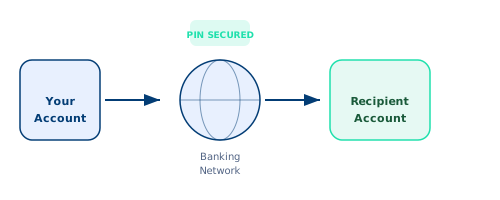
Move Money Your Way
Whether you are sending funds to a family member, paying a supplier, or settling an international invoice, Whitestone Trust Credit Union provides a complete suite of transfer services. Every transaction is secured with multi-factor authentication, PIN verification, and real-time monitoring — so your money always arrives where it should.
Local Transfers
Transfer funds instantly to any bank within your country. Our network connects to over 11,000 financial institutions, ensuring fast settlement — most transfers complete within minutes.
Send LocallyInternational Transfers
Send money across borders in over 40 currencies. Authorization codes for large transfers provide an extra layer of security, and competitive exchange rates keep costs low.
Send GloballyBill Payments
Pay utility bills, subscriptions, and recurring expenses from one dashboard. Schedule payments in advance and never miss a due date with automated reminders.
Pay BillsThe Transfer Process
Every transfer follows a simple, secure four-step process designed for transparency and peace of mind.
Log In
Access your Whitestone Trust Credit Union online banking dashboard using your secure credentials and complete two-factor authentication.
Select Transfer Type
Choose local, international, or bill payment. Enter the recipient details, amount, and any reference information needed.
Verify with PIN
Confirm the transaction using your unique 4-digit transfer PIN. For international transfers over certain thresholds, an authorization code is also required.
Receive Confirmation
Get instant confirmation with a transaction reference number. Track the status of your transfer in real time from your dashboard.
Your Money, Protected
We take the security of every transaction seriously. Multiple layers of protection work together to safeguard your funds.
PIN Protection
Every transfer requires your unique 4-digit transaction PIN. This PIN is separate from your login credentials and acts as a second layer of authorization — even if someone accesses your account, they cannot move money without it.
- Separate from login password
- Required for every outgoing transfer
- Can be changed at any time from your security settings
Authorization Codes
For large international transfers exceeding USD 10,000 or equivalent, a one-time authorization code is generated and sent to your registered email and phone. This code must be entered to complete the transfer, adding enterprise-grade security.
- Multi-channel delivery (email + SMS)
- Single-use, time-limited codes
- Mandatory for high-value international transfers
Transfer Limits
Understand your daily transfer limits to plan larger transactions effectively.
| Transfer Type | Daily Limit (USD) | Processing Time | Fee |
|---|---|---|---|
| Local Transfer (Same Bank) | $100,000 | Instant | Free |
| Local Transfer (Other Bank) | $50,000 | 1–2 hours | $1.50 |
| International Transfer (Standard) | $25,000 | 1–3 business days | $15.00 |
| International Transfer (Express) | $50,000 | Same day | $30.00 |
| Bill Payment | $20,000 | 1–2 business days | Free |
Limits may vary based on account type and verification status. Contact customer support to request a temporary limit increase.
Frequently Asked Questions
Transfers to accounts within Whitestone Trust Credit Union are instant. Transfers to other banks typically complete within 1–2 hours during business days. Transfers initiated outside banking hours or on weekends will be processed on the next business day.
We use live mid-market exchange rates sourced from leading foreign exchange data providers. The rate displayed at the time of your transfer is the rate you receive — we do not add hidden markups. A small conversion fee of 0.5% applies for amounts over USD 5,000.
Local transfers can be cancelled if the status is still "Pending" in your dashboard. Once a transfer shows "Processing" or "Completed," it cannot be reversed through the self-service portal — please contact customer support immediately for assistance. International transfers cannot be cancelled once processed due to correspondent banking timelines.
Your transfer PIN is set during account opening. To change it, log in to your dashboard, navigate to Settings > Security > Transfer PIN, and follow the prompts. You will need to verify your identity with a one-time code sent to your registered email or phone before the change takes effect.
Start Transferring Today
Open an account and send your first transfer in minutes. Secure, fast, and fully transparent.